

Android Application Distribution
The Casinacho Android application is distributed directly from the operator's website rather than through the Google Play Store. This reflects the Google Play policy restricting real-money gambling applications, which affects the majority of offshore-licensed casinos serving Canadian audiences. Direct APK distribution is the standard industry approach, and the application file is available for download from the mobile section of the main website.
Android application distribution parameters
| Parameter | Detail |
|---|---|
| Distribution channel | Direct APK from official Casinacho website |
| Approximate file size | 30 to 60 megabytes |
| Google Play availability | Not available due to Google policy |
| Cost | Free download and installation |
| Update mechanism | In-app notification and manual re-download |
Installation Procedure
Installation of the Casinacho Android application follows a standard sequence for APK files. Canadian players enable the appropriate device permission, download the file, and complete installation through the standard Android installer interface. The entire process typically takes fewer than three minutes on a modern device with reasonable network conditions.
Sequential steps for installation
- Open device Settings and enable "Install unknown apps" for the browser used to download
- Open the Casinacho website through Chrome or Samsung Internet
- Navigate to the mobile application section and tap Download APK
- Open the downloaded APK file from the notifications or downloads folder
- Confirm the installation prompt and wait for completion
- Open the application, sign in with existing credentials or create a new account
- Enable biometric login through fingerprint or face recognition when prompted
Features Available in the Android App
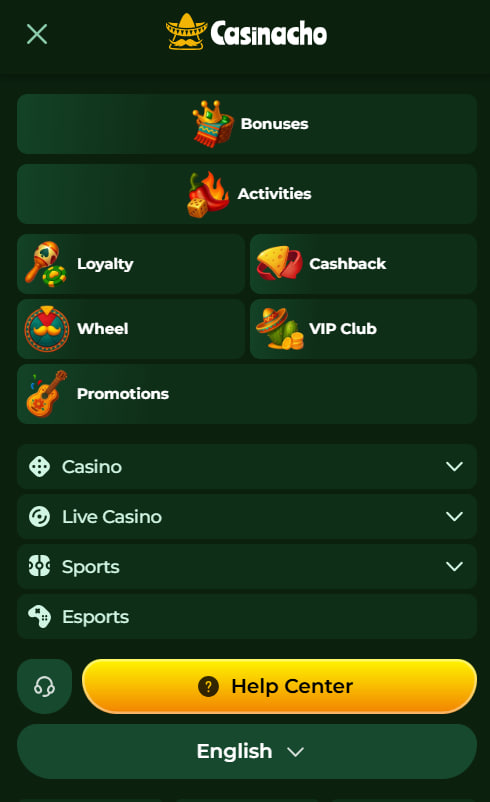
The Android application replicates the desktop feature set with a touch-optimised interface. Every function present on the desktop website functions identically inside the application, and several elements gain mobile-specific enhancements such as biometric authentication and push notifications.
Full features present in the Casinacho Android application
- Complete game library of more than 5,000 titles across slots, live dealer and specialty formats
- Full live dealer streaming with high-definition video quality
- Complete cashier with all payment methods including eight cryptocurrencies
- Welcome package activation, promotional codes including RELDAY and BONA200
- Live chat access with the same response times as desktop
- Push notifications for tournament announcements and promotional updates
- Biometric login through fingerprint or face recognition after first sign-in
iOS Access via Mobile Browser
Apple device users access Casinacho through Safari or Chrome mobile browsers rather than through a native application. This reflects Apple App Store policy restrictions on real-money gambling applications from offshore-licensed operators, which mirrors the Google Play situation from a different regulatory direction. The mobile browser experience supports every feature present on desktop with no observed degradation in performance or functionality.
iPhone and iPad users navigate to the Casinacho website through Safari or Chrome, sign in with existing credentials, and gain immediate access to games, cashier, promotions and support. Apple Keychain integrates smoothly for password autofill, and Face ID or Touch ID can authenticate the Keychain unlock on supported devices.
Add to Home Screen for iOS
The Add to Home Screen mechanism on iOS creates a progressive-web-application-style shortcut that behaves almost identically to a native application. Members open Safari, sign in to Casinacho, tap the Share button in the browser toolbar, select Add to Home Screen, and confirm the placement. The resulting home screen icon launches Casinacho in a full-screen browser mode without the visible browser chrome, delivering an application-like experience without any download required.
Compatibility and Requirements
The Casinacho Android application requires Android version 6.0 (Marshmallow) or higher for stable operation, along with approximately 100 megabytes of free storage after installation. A reliable internet connection through Wi-Fi or 4G/5G mobile data maintains the live dealer stream quality. iOS requirements follow standard Safari or Chrome capability; any device running iOS 13 or higher operates the mobile web experience without issue.
Troubleshooting Common Issues
A small number of installation and runtime issues arise regularly enough to warrant documented solutions. Most resolve within a few seconds once the correct step is applied.
Quick fixes for the most common mobile issues
- APK will not install — verify "Install unknown apps" permission for the source browser
- Live dealer streams lag — switch from mobile data to Wi-Fi and close background applications
- Push notifications not arriving — enable notifications for Casinacho in Android system settings
- Application crashes on launch — clear cache through Android Settings, Apps, Casinacho, Clear Cache
- Biometric login fails — reconfigure biometric authentication in application settings after first credentialed sign-in
Members experiencing any issue not resolved through the above steps can contact live chat inside the application or through the Casinacho registration and login page to reach the support team. Bonus activation guidance for mobile users is documented on the Casinacho bonus page.
Frequently asked questions
The Casinacho Android APK is available exclusively from the official Casinacho website through the mobile application section. Third-party download sites should be avoided due to the risk of modified files containing malware or credential-stealing code.
The Casinacho Android application requires Android version 6.0 (Marshmallow) or higher for stable operation. Most Android devices released within the last several years meet or exceed this requirement without any user intervention.
Google Play Store policy restricts real-money gambling applications from offshore-licensed operators. Direct APK distribution from the operator's website is the standard industry approach for offshore casinos serving Canadian audiences and is fully legitimate.
The iOS mobile browser experience through Safari or Chrome delivers every feature present in the Android application including game library, cashier, live dealer streaming and live chat. The main differences are the absence of push notifications and the browser interface elements around the content.
The mobile application provides the full game library of more than 5,000 titles, all 400 live dealer tables, complete cashier functionality with cryptocurrency support, promotional code entry including RELDAY and BONA200, and live chat access.
Yes. Push notifications can be enabled or disabled at any time through Android system settings under Notifications, Casinacho. Members retain full control over which categories of notifications the application may send at any point after installation.
The Casinacho Android APK file typically ranges between 30 and 60 megabytes. After installation, the application occupies approximately 100 megabytes of device storage including cache, though this figure grows modestly over time as game assets are cached locally.
Biometric login functions on any Android device with a working fingerprint sensor or face recognition capability at the operating system level. Older devices without these sensors continue to authenticate through the standard email and password sign-in flow.
App updates are delivered through an in-app notification that prompts the member to download the updated APK from the operator's website. The installation process for updates mirrors the initial installation and preserves account credentials and preferences.

Liam Gagnon has spent years reviewing online casinos and writes the editorial notes for casinacho-casinos.ca. Every look at Casinacho Casino starts on a real account: he registers, deposits, times the crypto payouts, and works through the terms of the C$1,500 welcome package and its 35x wagering line by line. In his write-ups he draws a clear line between the operator's Anjouan licence (ALSI-182407008-FI1, EVENTA DIGITAL LIMITADA) and the oversight of a provincial regulator such as iGaming Ontario, with no promotional gloss, and covers the 5,000+ game library, the 400+ live tables and the KYC checks alike. His reminder never changes: gambling is for adults of legal age in their province and can be addictive; if play stops being fun, the Responsible Gambling Council and ConnexOntario (1-866-531-2600) offer free, confidential help.